
How to increase the average order value of an online program
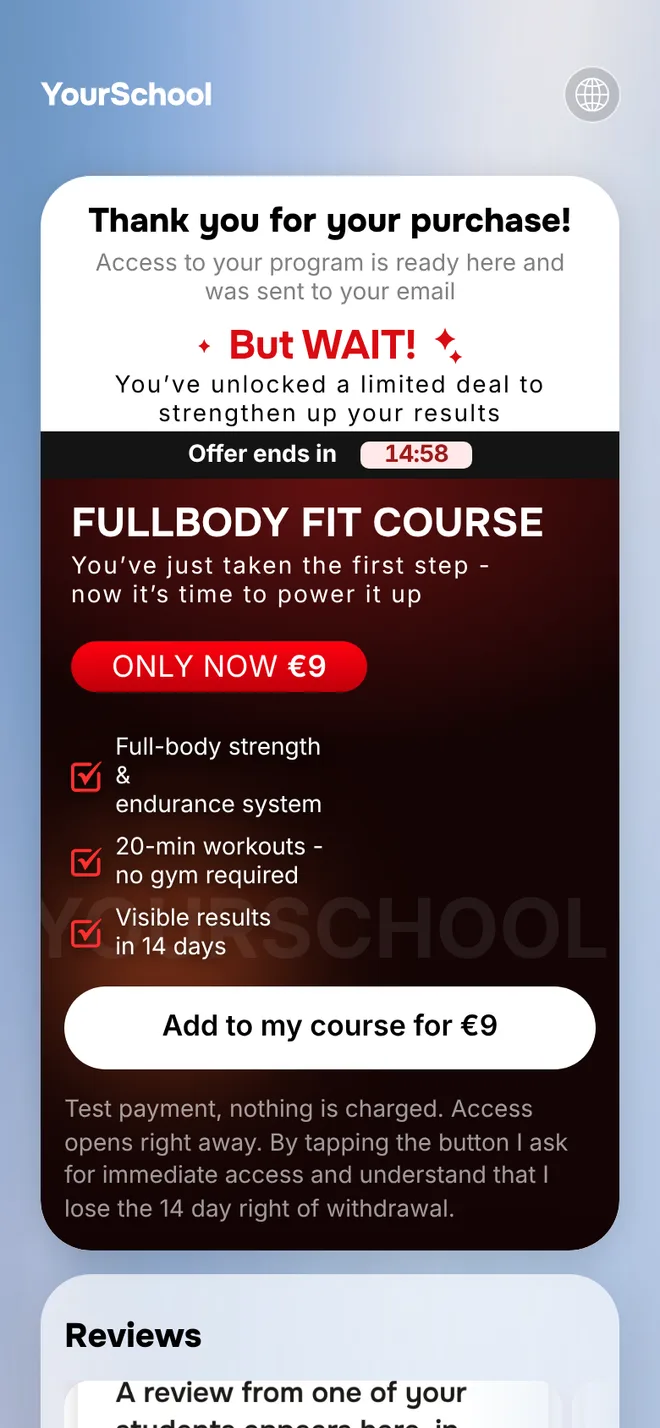
Raise the order at two moments: at the checkout with one extra product, and right after the payment with a one-click offer. Both work on buyers you already have.
- 99 EUR
- per month on the first plan
- 0%
- of your sales goes to the platform
- 14 days
- free on any plan, without a card
Five steps
Pick a companion product
A guide, a meal plan or a warm-up routine that helps the main program.
Add it as an order bump
One tick at the checkout, at a fraction of the main price.
Set the offer after the payment
The next level or the club, added in one click.
Add an annual option
A year at the price of ten months, next to the monthly price.
Read the numbers
The dashboard shows what each offer brought.
- An order bumpOne tick, one total.
- A one-click offerCharged to the card just used, shown once.
- Revenue per automationEach offer shows its result.
Questions
Will extra offers annoy buyers?
One relevant offer at each moment is a service. Each is declined with one tap.
Whose brand do students see?
Yours. Your name, your logo and only your programs.
Do I need a marketer or a developer?
No. Funnels, messages and payment recovery come as ready scenarios. You switch them on and edit the texts.
How do I see what works?
The dashboard shows the revenue each automation brought, with LTV per product and CAC per channel.
Related pages
Your school can be live this week
Fourteen days free on any plan. Templates for programs, offers and scenarios are ready the moment you sign up.